

Support Tickets
Tickets in the top bar is where you ask the Easy Instance team for help.
Open a Ticket
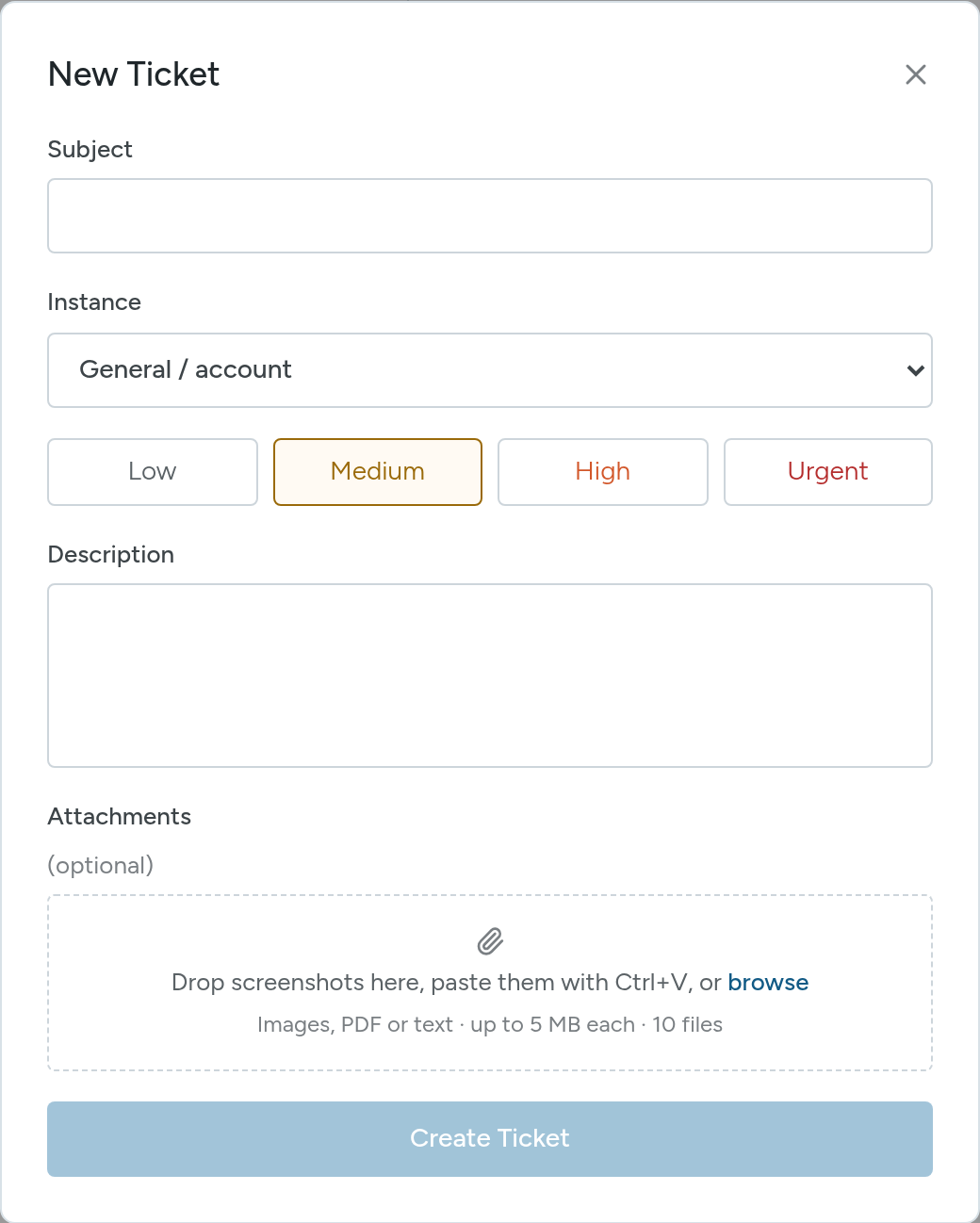
- Select Tickets, then New Ticket.
- Enter a Subject.
- Choose the Instance it is about, or General / account.
- Choose a priority: Low, Medium, High or Urgent.
- Describe the problem in Description.
- Add Attachments if they help: drop screenshots in, paste them with Ctrl+V, or browse. Images, PDF or text files, up to 5 MB each and 10 files.
- Select Create Ticket.
You can also open a ticket from an instance's Overview, under Help Tickets.
Follow a Ticket
- Filter by All tickets, Open or Closed, and search, or filter by instance and date.
- Open a ticket to read the conversation and Send Reply.
- Select Close ticket when your issue is solved, or Reopen ticket if it comes back.
TIP
For an error in Odoo, add the error lines from the Logs tab.