

Create an Industry Instance
An industry instance is Odoo with an industry solution's modules installed for you. The wizard is the same as for a new instance, with one extra step to choose the modules.
Start the Wizard
- Go to Instances and select New Project.
- Choose Create an industry instance.
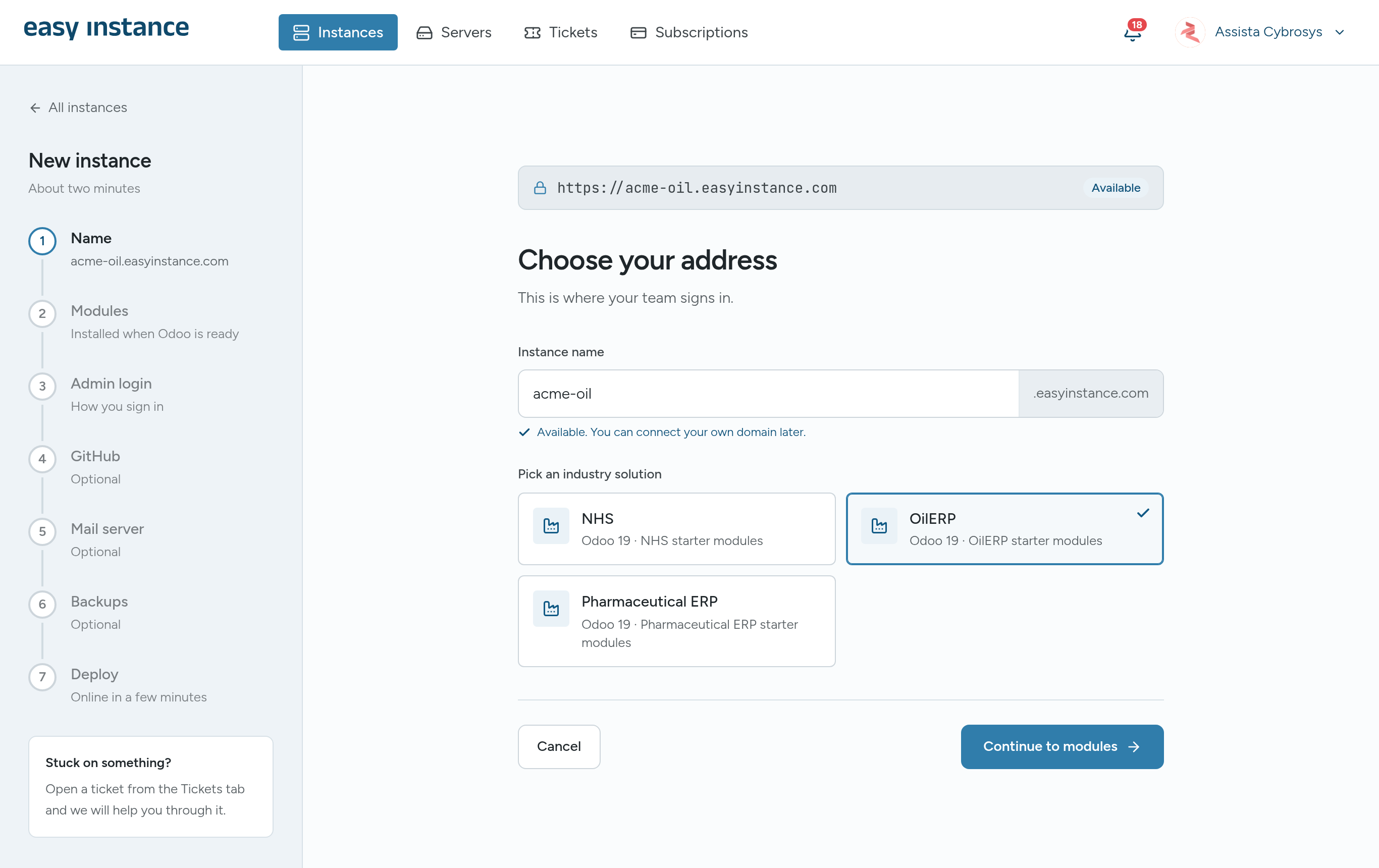
Step 1: Choose Your Address and Industry
- Enter an Instance name, as for any new instance.
- Under Pick an industry solution, choose one. The solutions offered today are NHS, OilERP and Pharmaceutical ERP, each on Odoo 19.
- Select Continue to modules.
Step 2: Choose the Modules
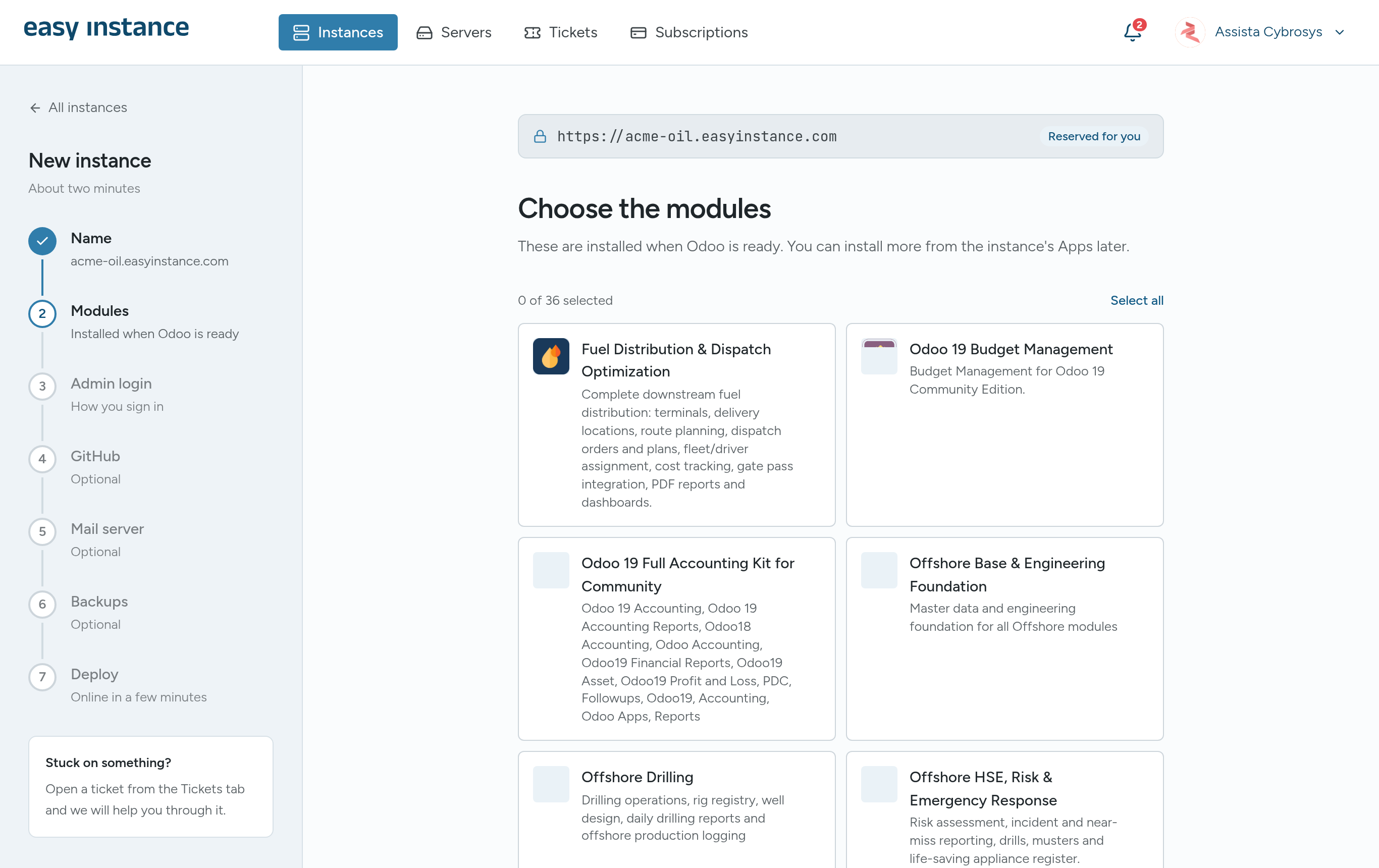
The modules you pick are installed when Odoo is ready. You can install more from the instance's Apps later.
- Select the modules you want, or Select all. The counter shows how many are selected, for example 0 of 36 selected.
- Choose at least one module, then continue.
Remaining Steps
The rest is the same as a new instance: Admin login, GitHub, Mail server, Backups and Deploy. See Create an Instance.
Try a demo first
Each industry solution has a public demo. See Industries on the Easy Instance website.