

Logs
The Logs tab shows the server output of an instance, so you can follow what Odoo is doing and troubleshoot errors.
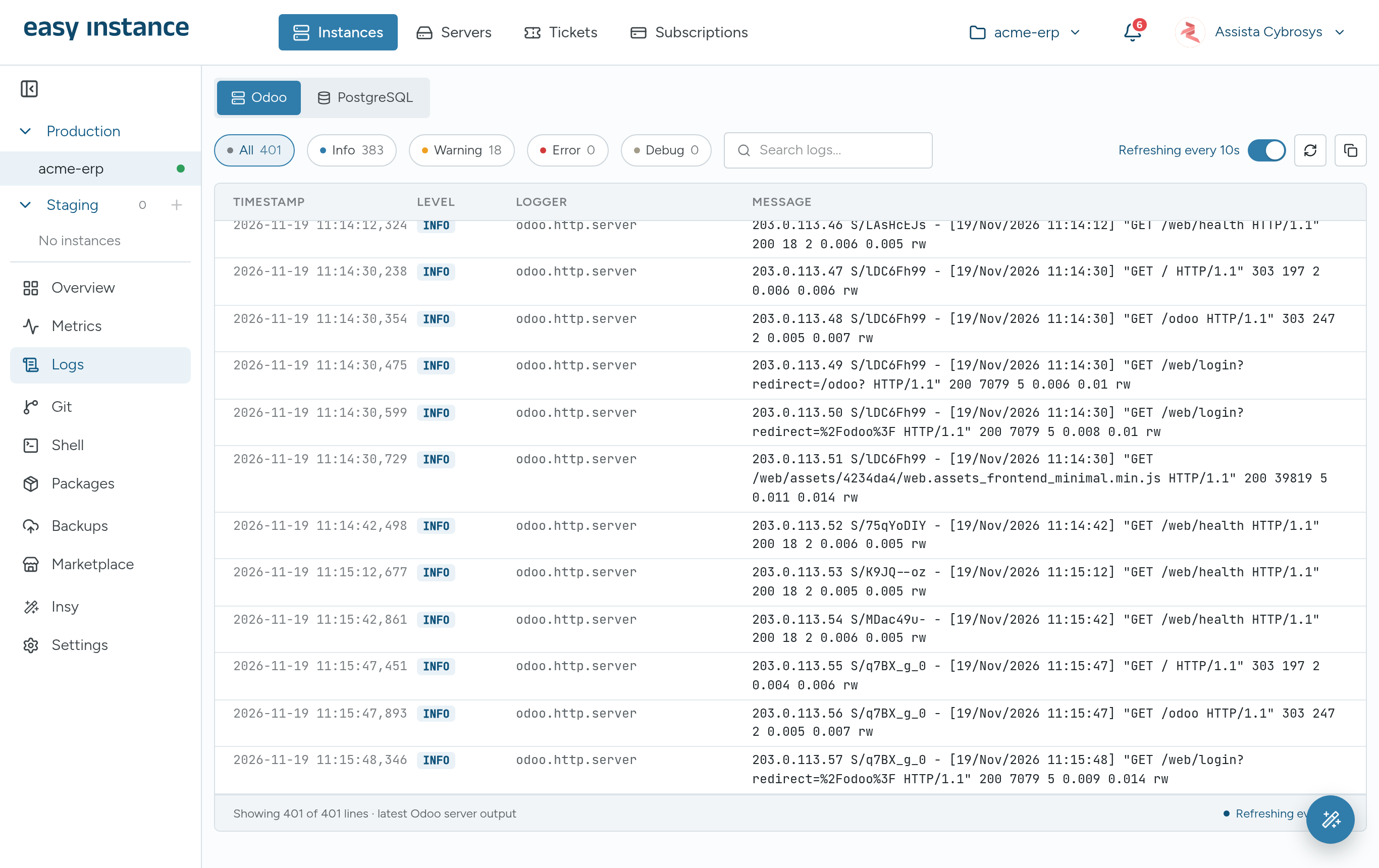
Choose the Source
- Odoo: the Odoo server log.
- PostgreSQL: the database log.
Filter and Search
- Filter by level: All, Info, Warning, Error or Debug. Each shows how many lines it has.
- Type in Search logs... to find a message.
Each line shows the TIMESTAMP, LEVEL, LOGGER and MESSAGE.
Refresh and Copy
- The log refreshes every 10 seconds while the toggle reads Refreshing every 10s. Turn it off to pause and stop auto-scrolling.
- Use the refresh button to load new lines straight away, and the copy button to copy the lines shown.
TIP
When you open a support ticket about an error, filter to Error, copy the lines and paste them into the ticket.