

Shell
The Shell tab opens a terminal inside the instance's Odoo container, in your browser. There are no SSH keys to create.
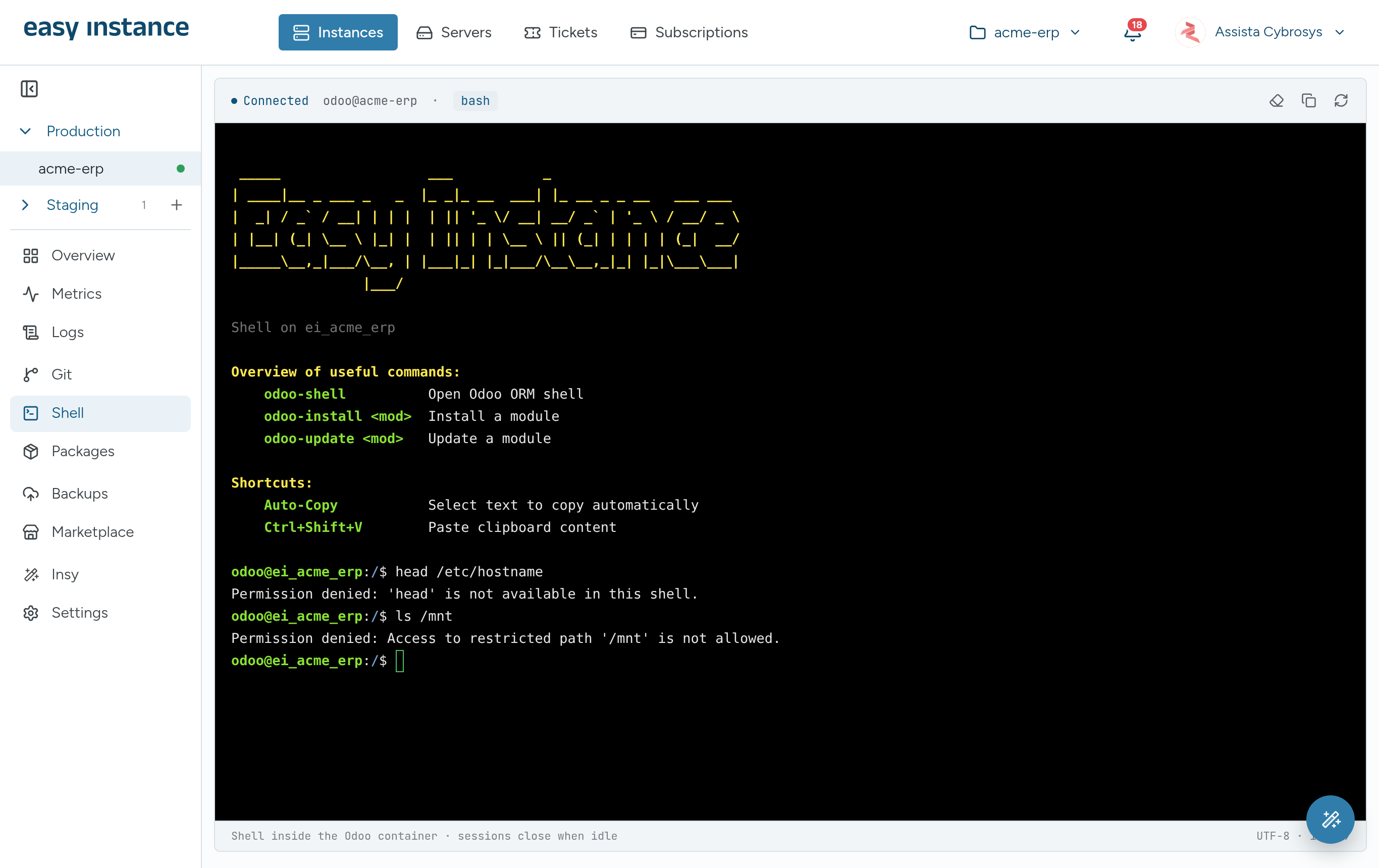
The Shell tab is available to the instance owner and to collaborators with Admin access.
Odoo Shortcuts
| Command | What it does |
|---|---|
odoo-shell | Opens the Odoo ORM shell |
odoo-install <module> | Installs a module |
odoo-update <module> | Updates a module |
Selecting text copies it automatically. Press Ctrl+Shift+V to paste.
What Is Restricted
The shell only allows the commands Odoo work needs.
- Commands outside the allowed set are refused, for example
Permission denied: 'head' is not available in this shell. - Paths outside the instance are blocked, for example
Access to restricted path '/mnt' is not allowed. - Destructive commands are blocked.
- Every session is logged.
Sessions
- Sessions close when they are idle, with the message Session closed due to inactivity. A session also ends when it reaches its maximum length.
- Use the buttons at the top right to clear the screen, copy the output, or reconnect.