

Subscriptions and Billing
Each instance has its own subscription. You pay monthly for the Odoo workers and storage it uses.
Subscriptions in the top bar has three views: Overview, Workers & storage and Billing & invoices. Pick the instance in the list on the left.
Overview
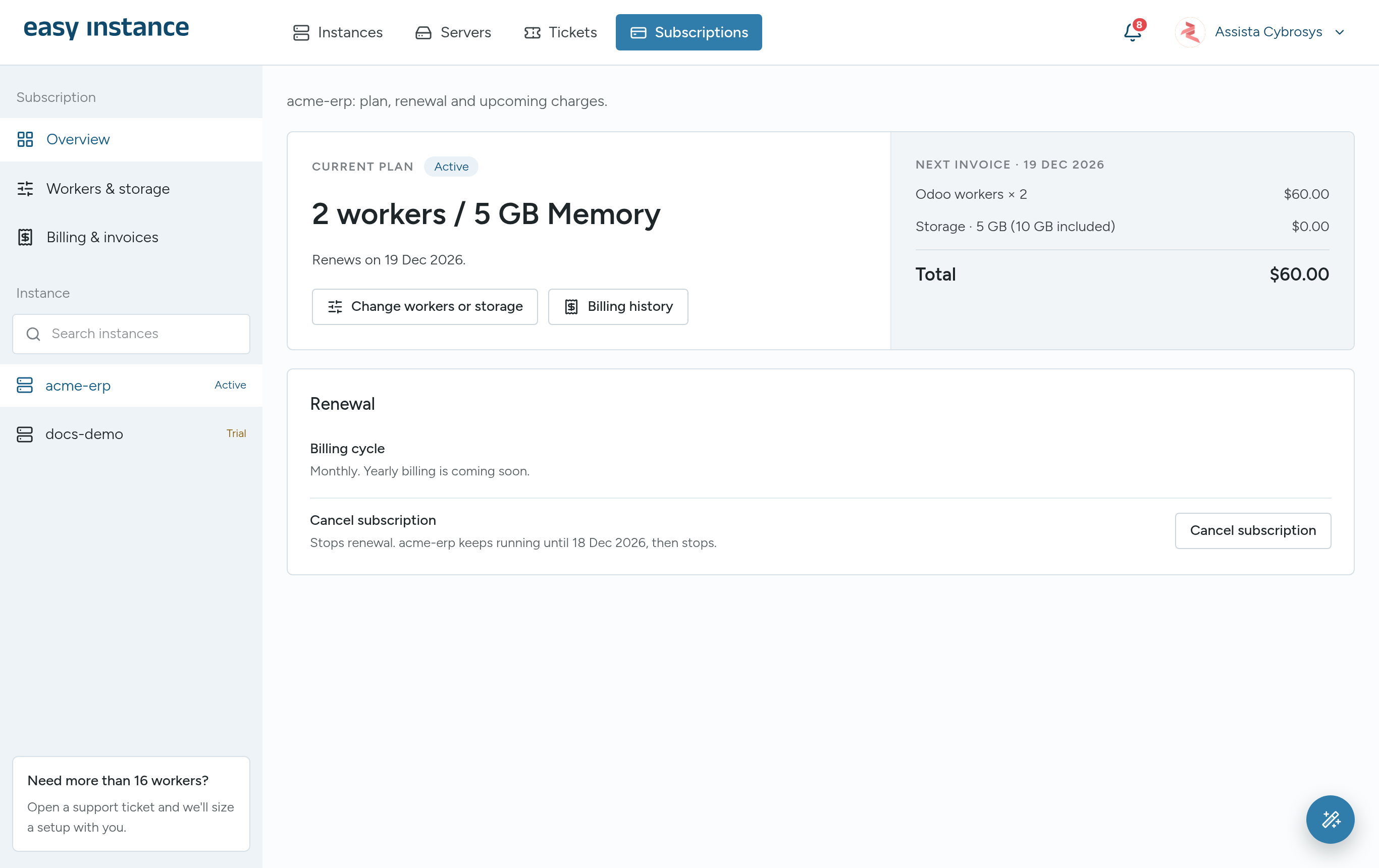
The Overview shows the instance's CURRENT PLAN, when the trial or the current period ends, and the NEXT INVOICE.
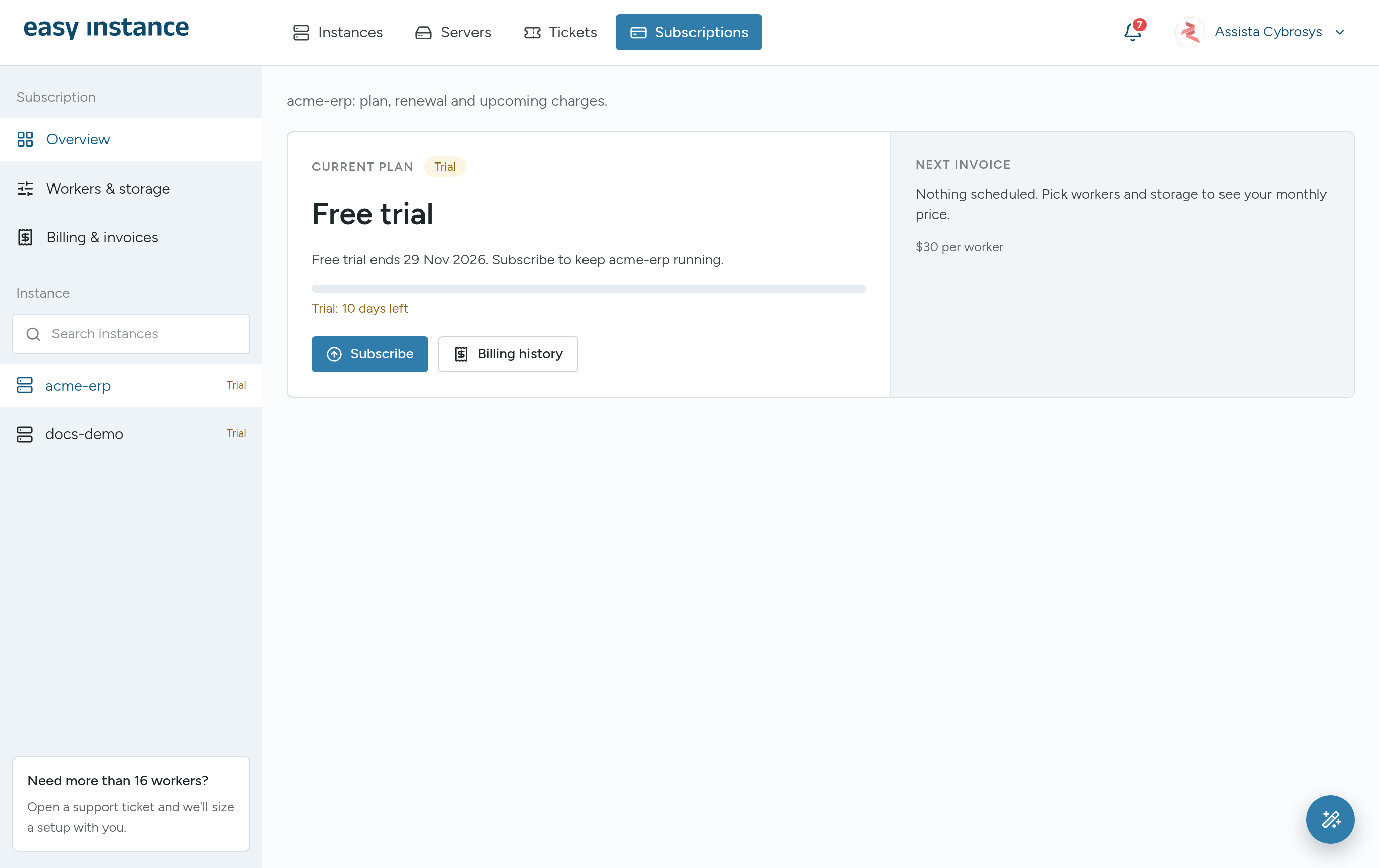
A trial instance reads Free trial, with the number of days left. Select Subscribe to keep it running after the trial.
Once subscribed, the Overview shows your workers and storage, the renewal date and the next invoice. Change workers or storage opens the plan settings.
Choose Workers and Storage
- Select Workers & storage.
- Set Odoo workers. A worker is an Odoo process that answers your users; more workers let more people work at the same time. As a guide, 1 worker suits up to 10 users, 2 workers 10 to 25, and 4 workers 25 to 50. A website or online shop, heavy reports and large imports need more. Each worker is $30 a month.
- Set Storage. The first 10 GB is included, then $0.40 per GB.
- Check the MONTHLY TOTAL and select Continue to payment.
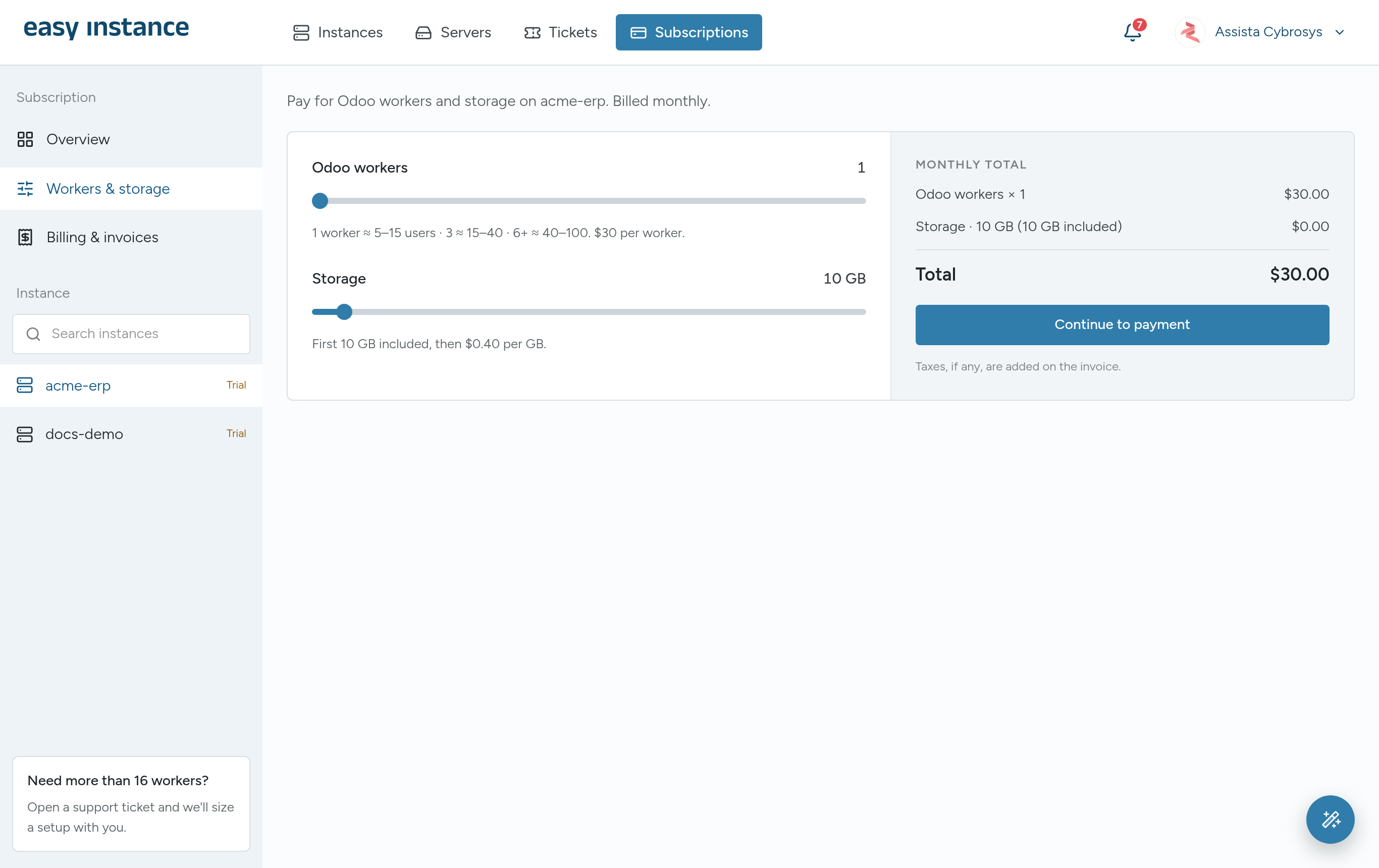
Billing is monthly and renews automatically. Taxes, if any, are added on the invoice.
More than 16 workers
Self-serve plans go up to 16 workers and 200 GB of storage. For more, open a ticket and the team will size a setup with you.
Change Your Plan
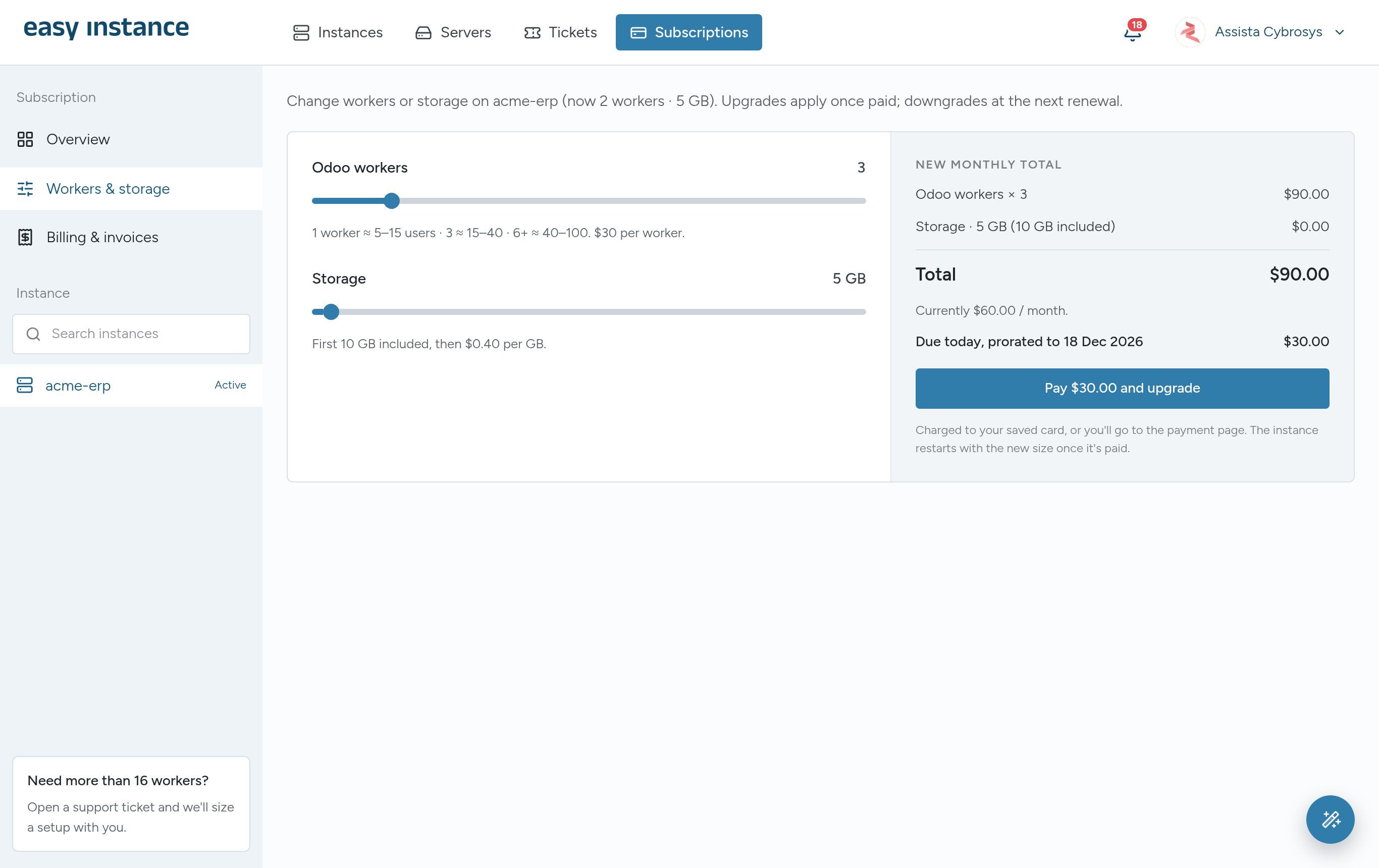
- Upgrade: raise workers or storage and select Pay and upgrade. You pay only the difference for the days left in the current period.
- Downgrade: lower workers or storage and select Schedule downgrade. It takes effect at the next renewal.
- Cancel: select Cancel subscription. You can change your mind with Keep subscription before the period ends.
Pending Changes
An upgrade starts once it's paid. Until then the Overview shows it as waiting for payment. To drop a change you haven't paid for, select Discard.
Billing and Invoices
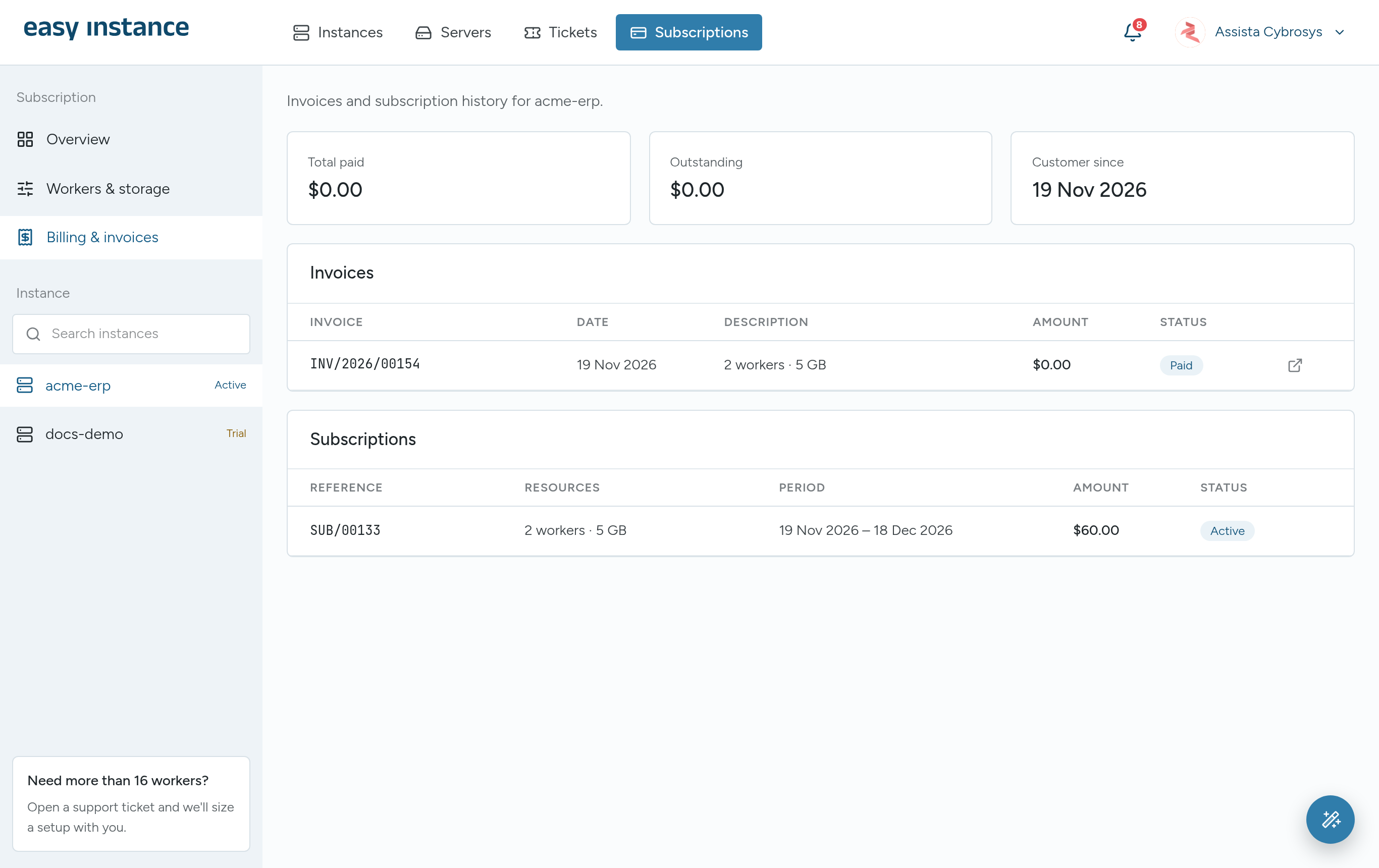
Billing & invoices lists every invoice with its date, description, amount and status. Select Pay invoice for an outstanding invoice, or View invoice to open it. The summary shows the total paid, anything outstanding, and when you became a customer.
Agreed and Dedicated Plans
Some customers have a plan agreed directly with the Easy Instance team.
- Agreed plan: your invoices are paid directly to the company named on the Overview, following the payment instructions shown there. A new period starts once your payment is registered.
- Dedicated server: the Overview says the instance runs on a dedicated server, and in which region. The plan is set up with the team, so changes go through them.
In both cases, select Contact us about your plan to change it.
When a Trial or Subscription Ends
- Trial ends without a subscription: the instance is stopped. It is deleted 14 days later, and you get a warning 3 days before.
- A paid period lapses: you have 3 days to pay before the instance is stopped.
Subscription Statuses
Trial, Active, Pending payment, Scheduled, Expired, Trial expired, Cancelled and Suspended.